What is Jean
A practical introduction to Jean for teams and solo developers who want local AI workflows without giving up control.
Jean is a desktop AI workspace for people who already live in git repositories, terminals, editors, and pull requests.
It gives Claude CLI, Codex CLI, OpenCode, Cursor Agent, PI, Command Code, Grok, and Kimi Code a shared home around your actual project structure instead of forcing everything through a browser tab or a single long-running chat.
A few screens
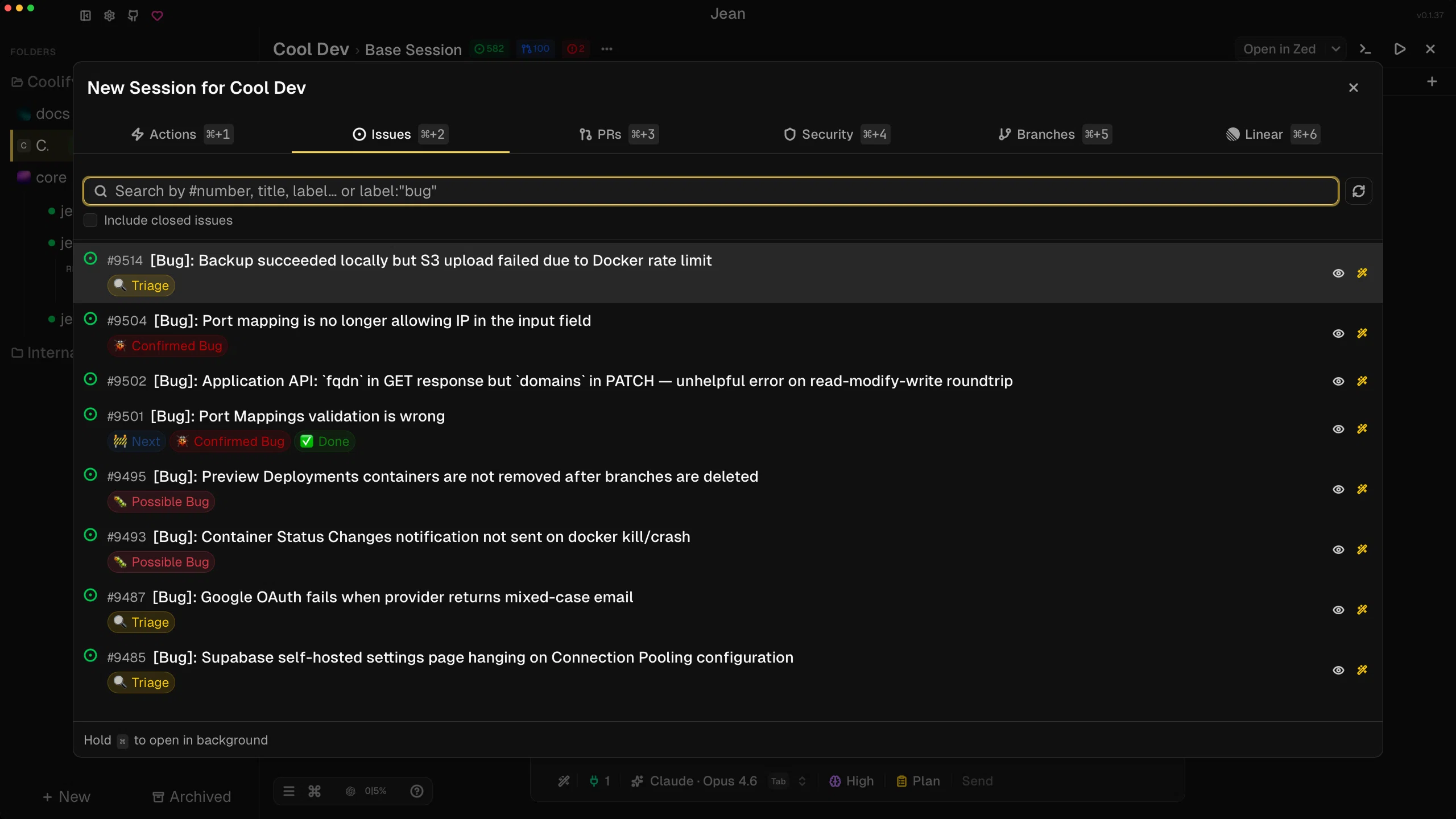
Start from real GitHub work by opening issues directly from the new-session flow.
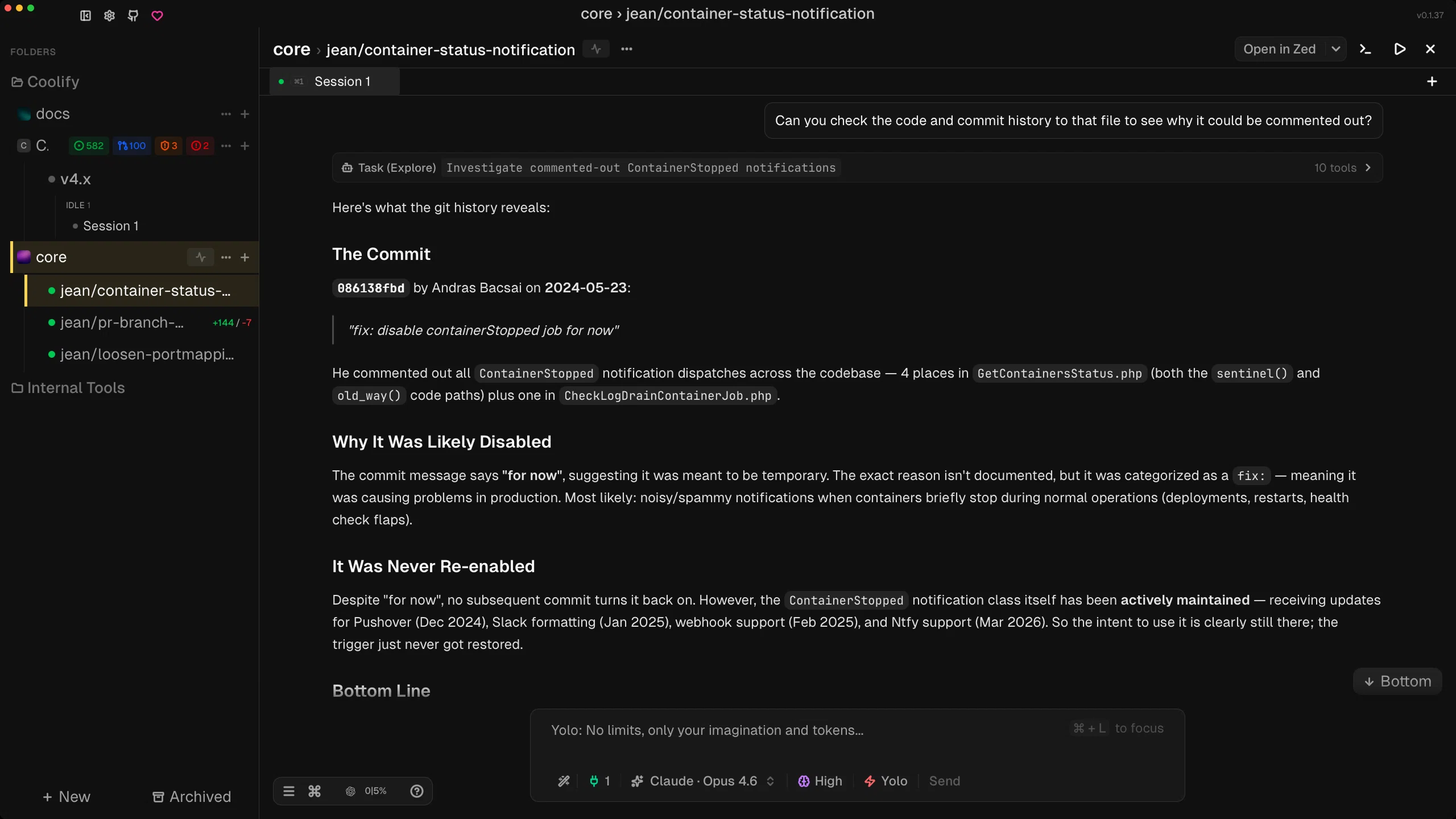
Work inside a session that can investigate code, explain history, and keep the answer grounded in repo context.
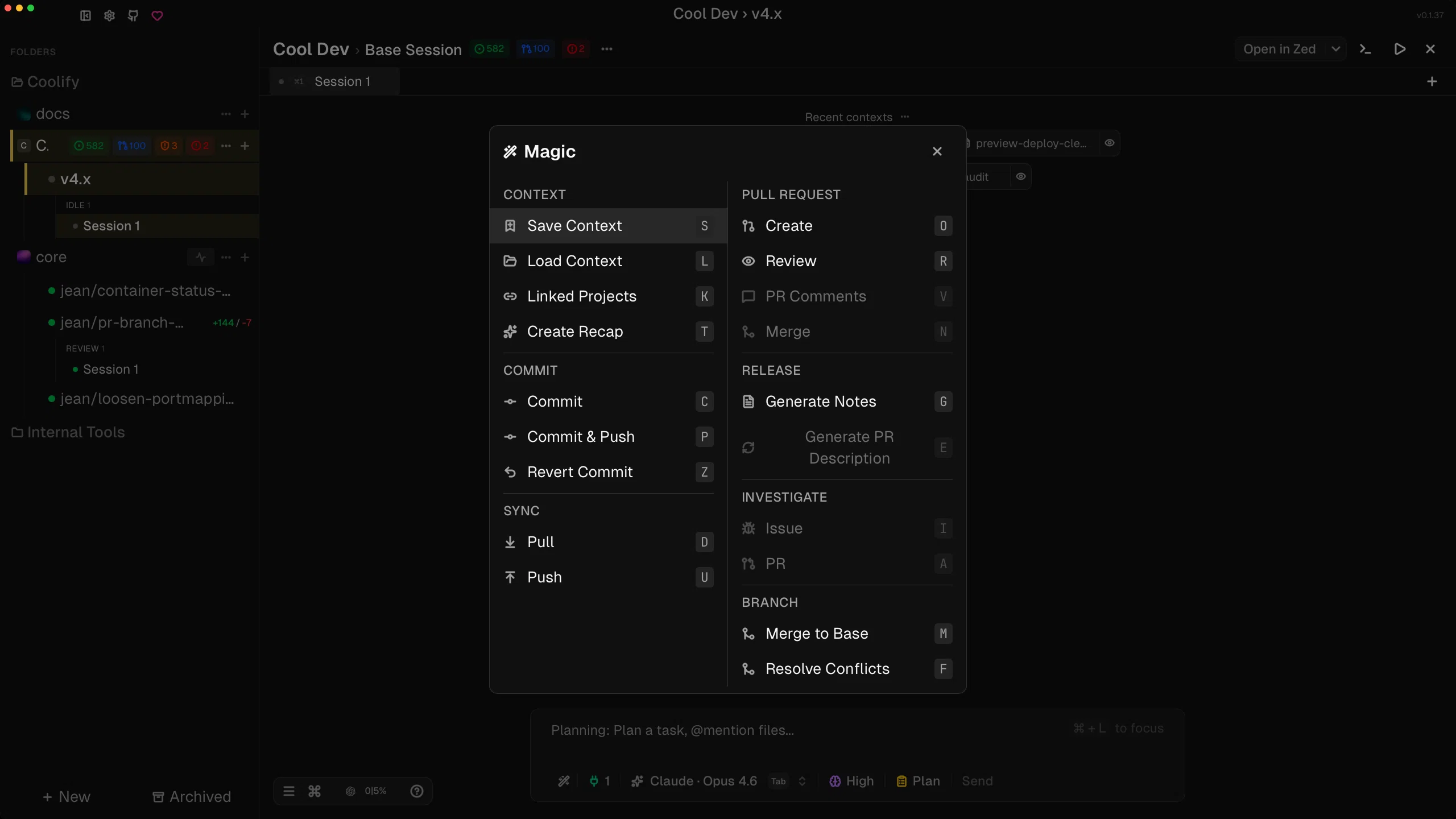
Jump to built-in actions for context, commits, reviews, releases, branches, and investigations from one Magic panel.
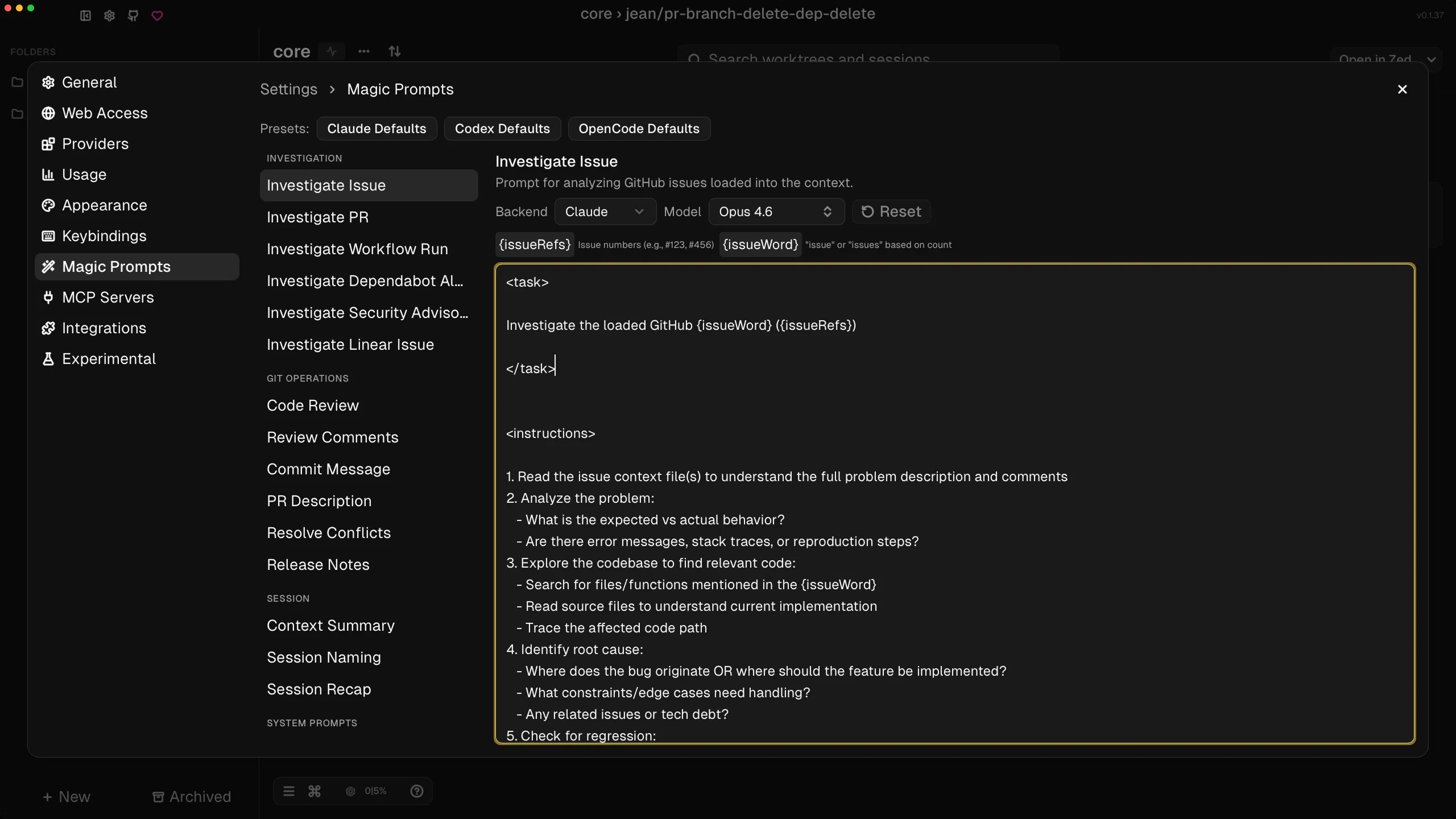
Tune the prompts behind recurring workflows so investigations, reviews, and recaps fit how your team actually works.
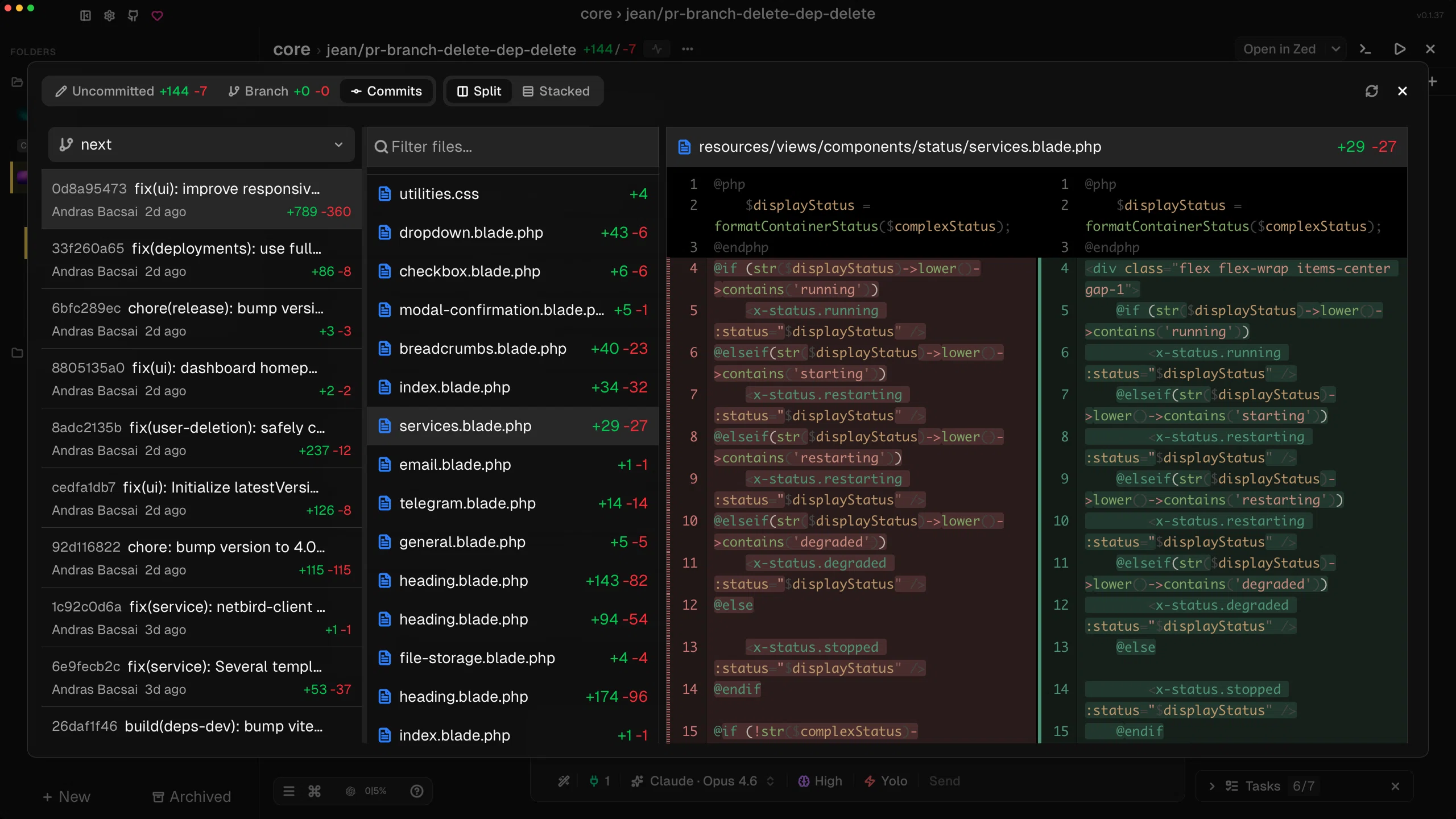
Inspect commit history, changed files, and split diffs without bouncing out to another tool.
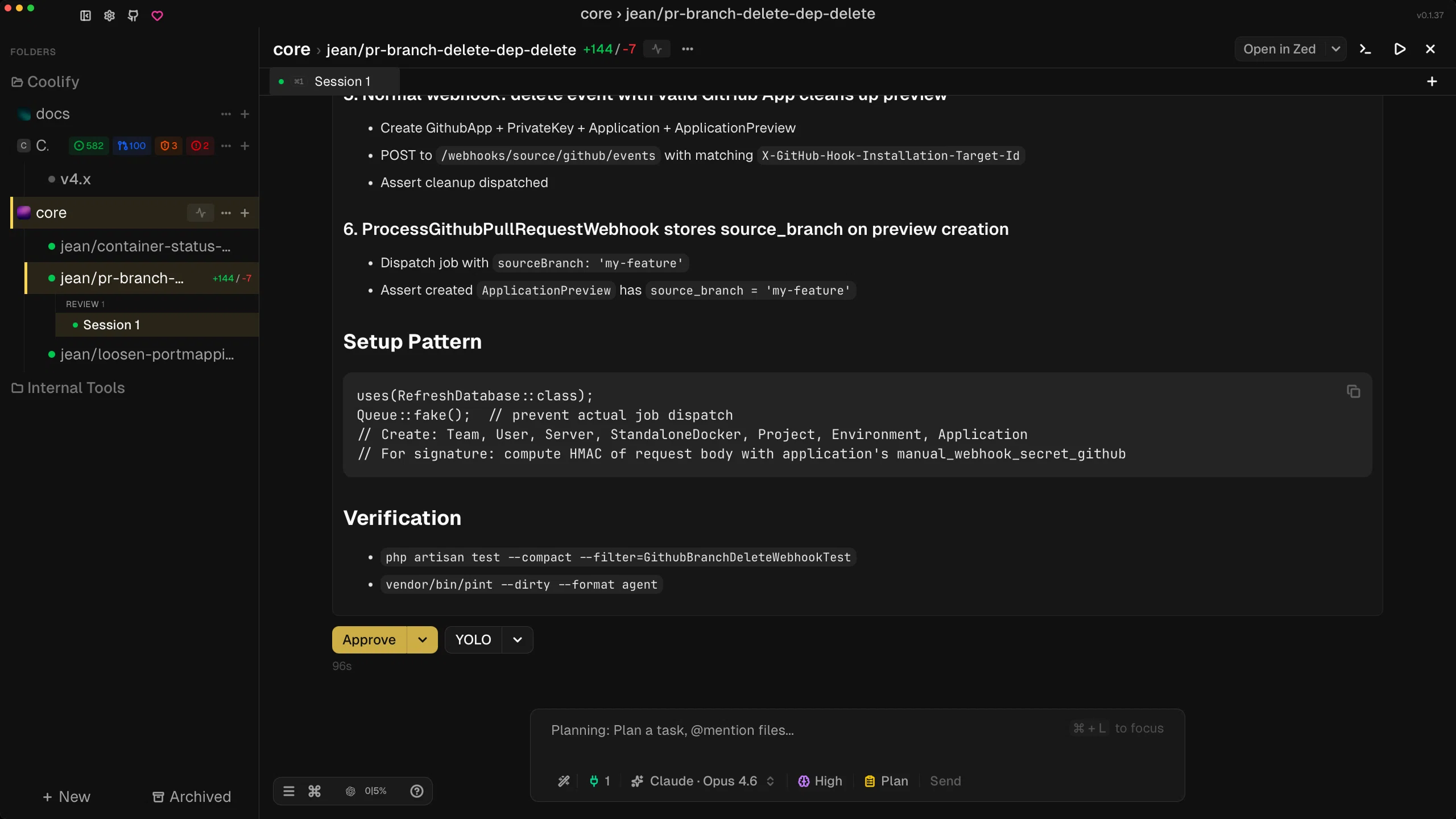
Keep approval controls close to the work when a task reaches the point where you want to review and decide.
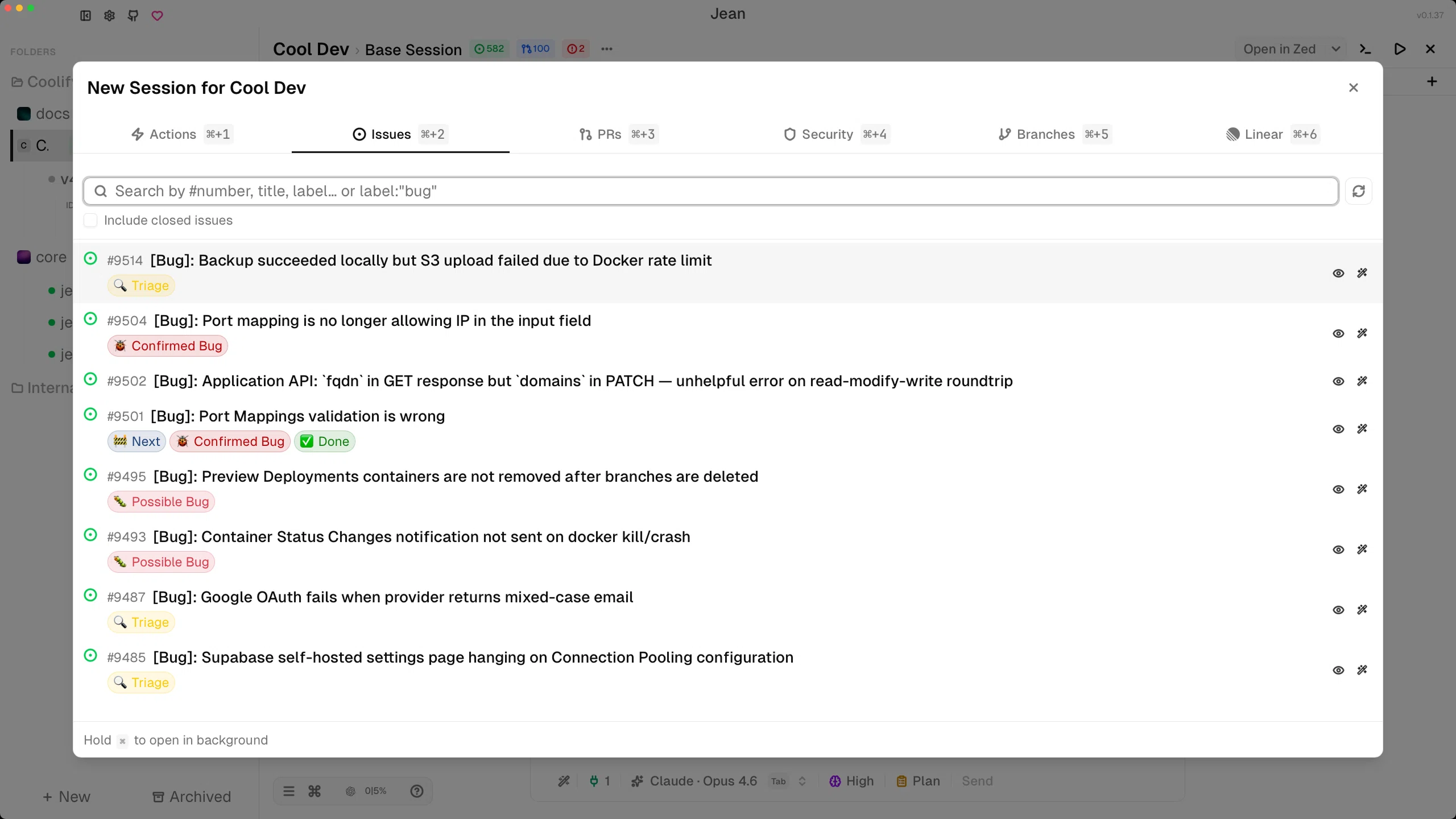
Open issues from the same intake flow in light mode when you want Jean to start from tracked work.
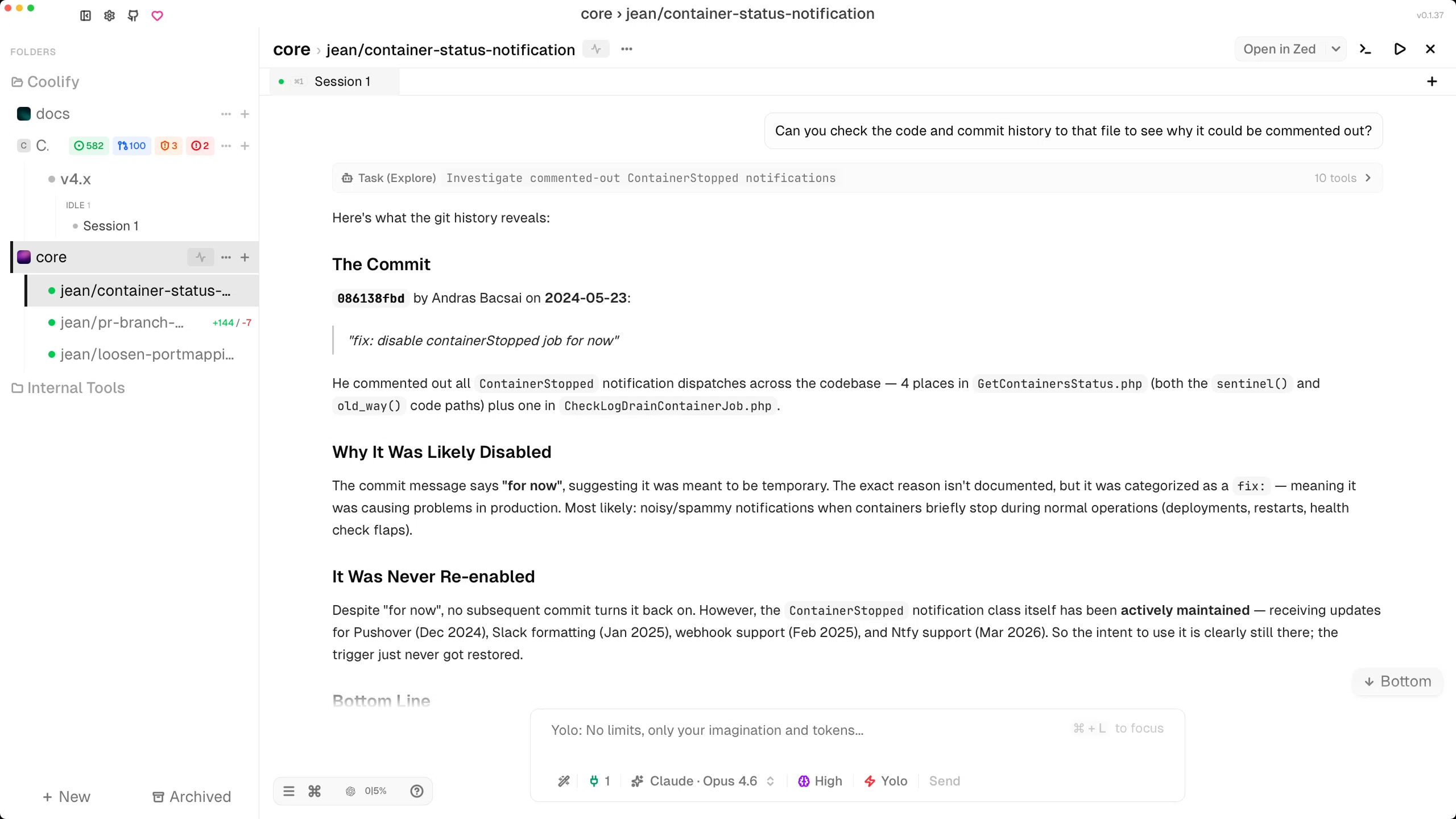
Follow the conversation and agent output in a layout that keeps the task and the answer in one place.
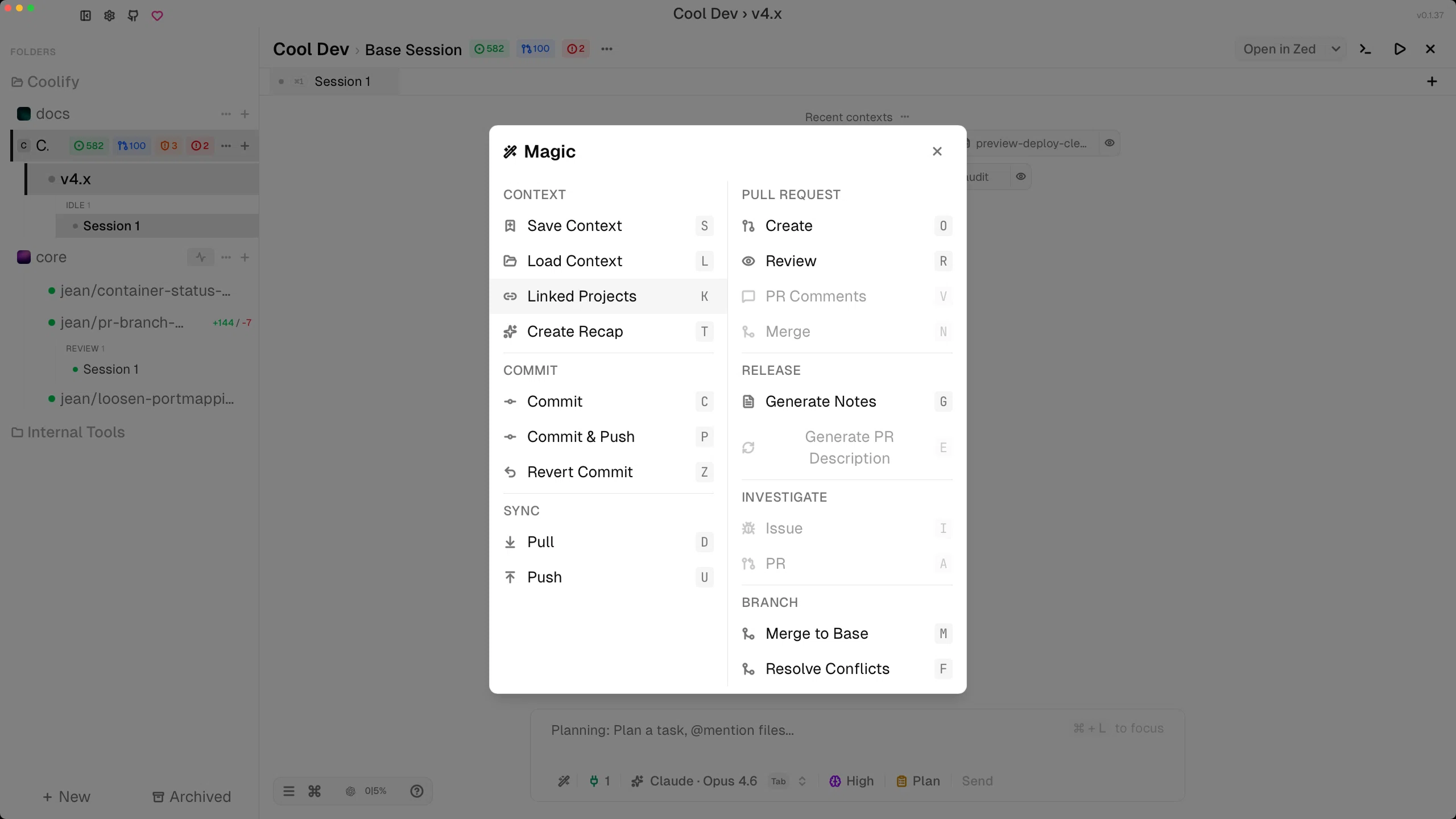
Use the Magic menu as a fast path into the built-in actions that turn sessions into commits, reviews, and releases.
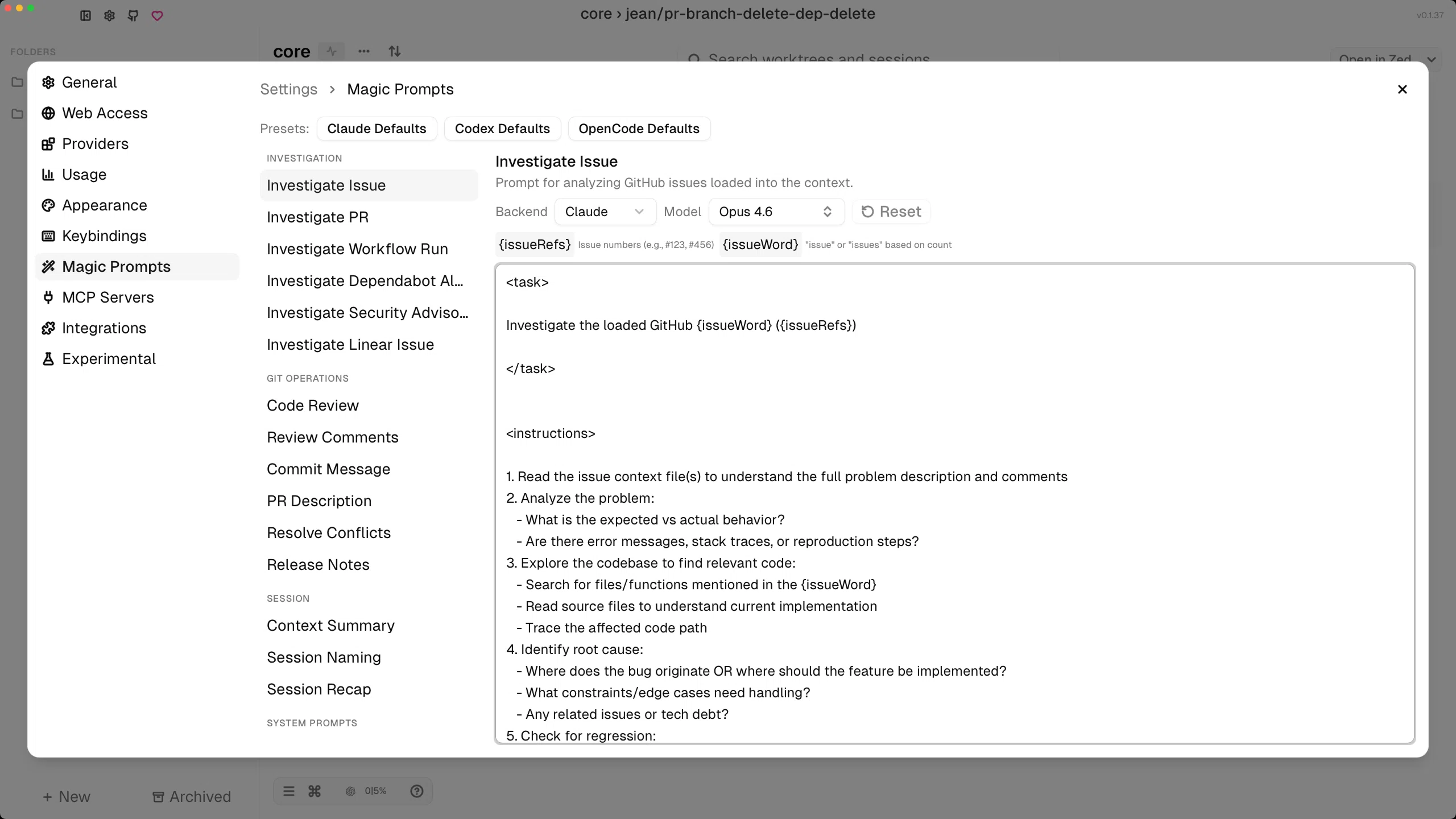
Edit the reusable prompts behind investigations, code review, recaps, and other repeatable workflows.
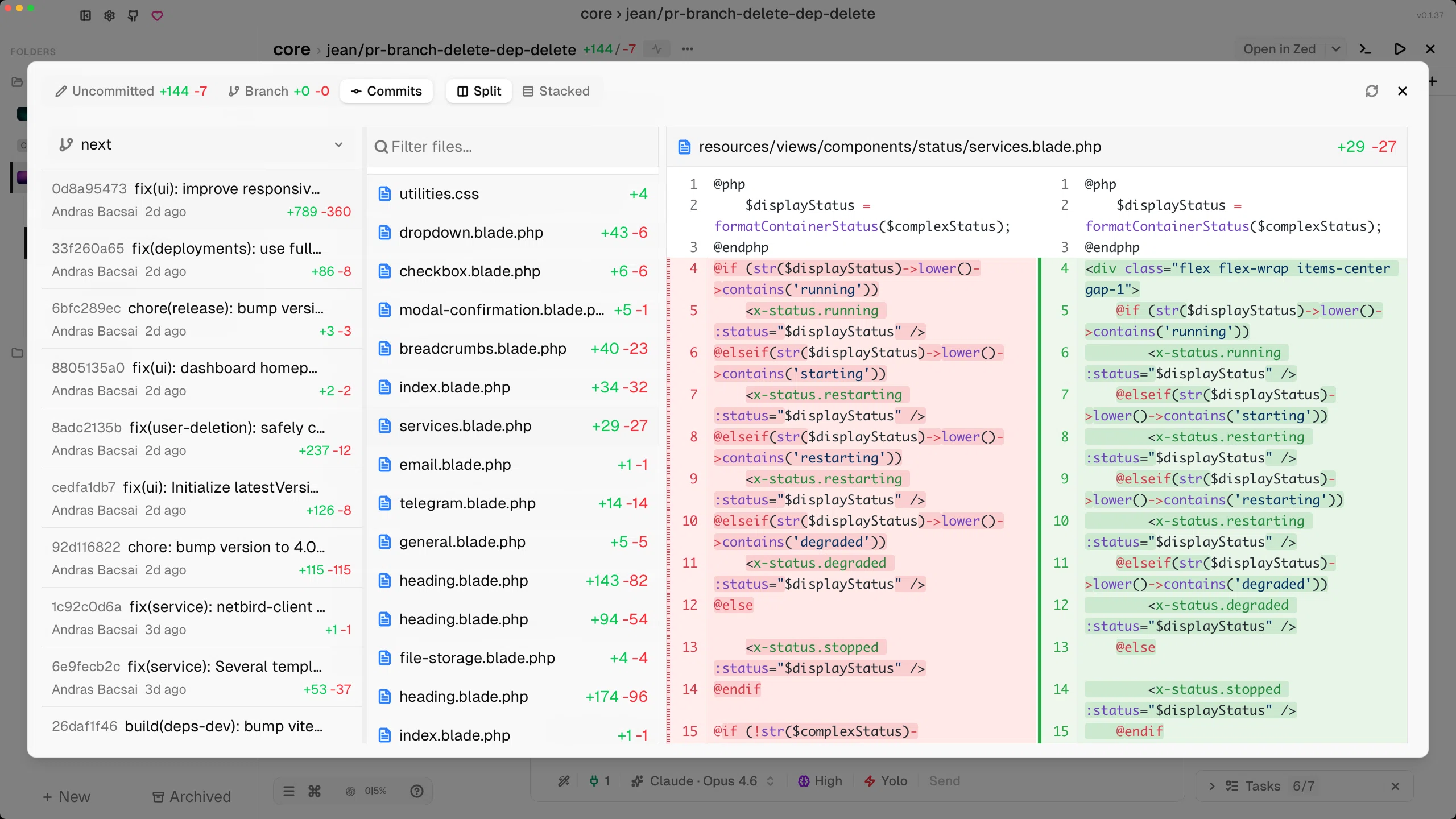
Review commits and file changes with the same side-by-side diff workflow in the light theme.
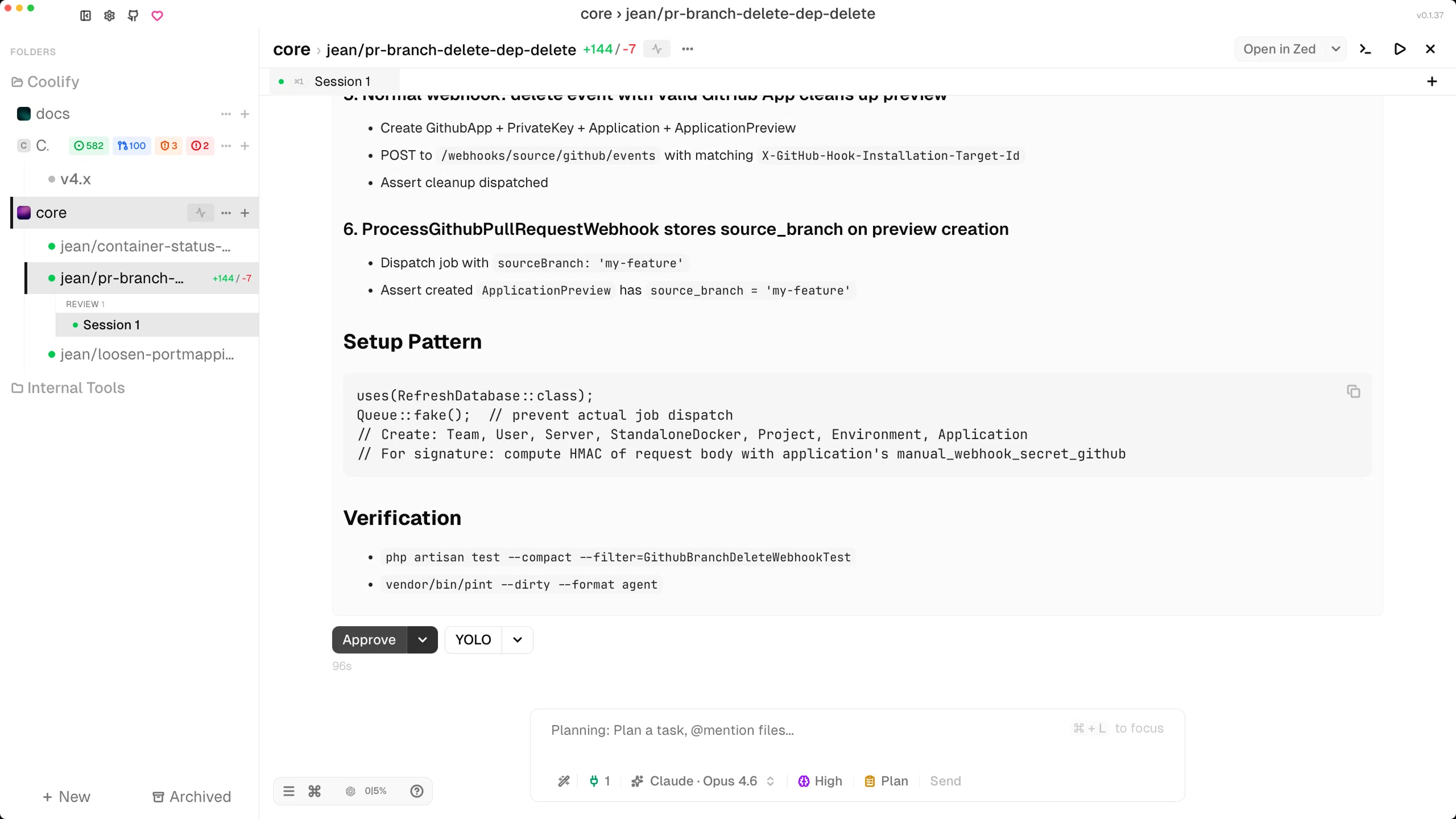
Approve or continue with the same review flow in light mode when you are ready to decide what happens next.
High-level overview
At a high level, Jean lets you:
- manage multiple repositories and folders in one sidebar
- create base sessions or isolated git worktrees for each task
- run several chat sessions inside the same worktree
- switch between AI backends, models, providers, and prompts
- inspect diffs, terminals, files, PR state, and session status from one place
- start work from GitHub issues, pull requests, security alerts, advisories, branches, and Linear issues
What Jean is
Jean is a local-first control surface for AI-assisted development.
It helps you operate:
- repositories and folders
- worktrees and branch-based tasks
- AI chat sessions with real repo context
- review, commit, PR, and release workflows
- optional browser access through a built-in HTTP server
What Jean is not
Jean is not a hosted coding agent service and it is not a replacement for your source control platform.
You still bring:
- your own repository
- your own CLI authentication
- your own git workflow
- your own GitHub and Linear access
- your own editor and terminal preferences
Why people use Jean
People usually reach for Jean when they want:
- cleaner task isolation than one giant chat per repository
- a faster way to move between projects, issues, PRs, and sessions
- local control over files, credentials, and context
- one workflow that works across Claude CLI, Codex CLI, OpenCode, Cursor Agent, PI, Command Code, Grok, and Kimi Code
- less friction between thinking, editing, running, and reviewing
Where Jean fits best
Jean works especially well when you:
- keep multiple repositories active at once
- use worktrees as part of normal development
- review code often
- bounce between implementation, investigation, and release prep
- want AI help without giving a hosted app direct ownership of your repos